Programming

Programming

Hacking

Hacking

Hardware

Hardware

Anti Virus

Anti Virus
Showing posts with label Maintenance Computer and Software. Show all posts

TuneUp 2010 [ include Serial number ]

Dec 7, 2009


Maintain system

Maintain system

Keep your PC in top shape: With only one click, you maintain your computer and provide more stability.

Increase performance

Increase performance

Get the maximum from your PC and experience top speed for your work and games.

Fix problems

Fix problems

As easy as pie: Solve Windows problems quickly, easily, and reliably or restore deleted files.

Customize Windows

Customize Windows

Give your Windows a new look: cool new boot screens, icons, and animations — free for downloading.

Turbo Mode

NEW! Turbo Mode

Disable unneeded processes and concentrate all the PC processing power on your active program!

Live Optimization

NEW! Live Optimization

Accelerate the startup and response times of your programs — for optimal PC performance!


Download Trial
http://download.tune-up.com/TUU2010/TU2010TrialEN-US.exe
Serial Number
N1YD6Q-6JP6QP-2JN2MH-05JJVV-M3Q5T3-APTWNR

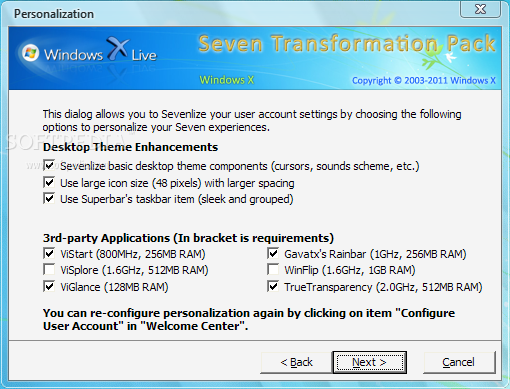
Seven Transformation Pack (formerly Vista Transformation Pack) 4.0

Bring to your desktop the look of Microsoft's Windows 7 operating system

Seven Transformation Pack will convert your XP based system to look like Windows 7 and some of its features emulated. You don't have to purchase Windows 7 or any 3rd-party applications to get Windows 7 UI experiences. This transformation pack will simply make it done for you for free!

This will update your Windows XP and Windows Server 2003 with Windows Seven GUI by adding some themes and replacing system files.

Seven Transformation Pack gives to your system the fresh and cool look of Microsoft's new operating system: Windows 7. The pack changes most of the system icons, skins and toolbars and also adds new enhancements to your desktop.

What's New in This Release: [ read full changelog ]

· Added giannisgx89's "Windows 7" visual style for Windows Vista
· Added localization support with some fixes in wording and correction (You can modify vilang.sif for program to read in other languages. It may not work on languages with IME unicode charset though)
· Added more system files modification for Windows Vista
· Shell Elements (Start Menu, Explorer)
· Startup Animation
· Tray Icons Set
· dded uxtheme.dll patching for custom theme compatibilities in Windows XP x64 Edition and Windows Vista (x86/x64)
· Added Windows setup files selection warning for people who use this normally but curious about it
· Added x64 system files modification support (Requires .NET Framework 2.0 or higher)
· Fixed 3rd-party applications startup conflicts with installation in configuration file
· Fixed boot screen not applying in some operating systems
· Fixed directory writable checking before preserving vtp.sif in local directory (CD, Network, etc.)
· Fixed exiting application when unsupported OS detected for ux...

Reasons why this program is marked as ad-supported:

· Offers to change the homepage for web browsers installed on the system


Basic Computer Maintenance

Oct 7, 2009

Bersihkan temp file, recent file, registry menggunakan ccleaner dan ATF- Cleaner.


Download CCleaner by Search di google saja karena Ccleaner selalu memperbarui versi dan feature nya


Bila cukup waktu Defrag HDD menggunakan jkdefrag. Download dari sini
Code:
http://www.kessels.com/JkDefrag/JkDefrag-3.34.zip
sebelum menjalankan JkDefrag. lakukan hal berikut:

Matikan page file.
Caranya. klik kanan my computer - properties - advanced. dibagian performance klik settings advanced - change.
klik no pagging file.

Matikan system restore.
klik kanan my computer - properties - system restore.
turn off system restore on all hard drive.

Matikan antivirus.
Agar proses defrag lebih cepat.

Lalu jalankan JkDefrag.exe. tunggu proses sampai selesai. bisa ditinggal sambil beres" atau makan.

Sedikit trick untuk menambah kinerja komputer.
1. Matikan indexing service. klik kanan HDD - properties.
hilangkan Allow Indexing Service to index this disk for fast file searching
lakukan di semua drive.

2. Fix startup item yang tidak diperlukan menggunakan Hijackthis.

3. Matikan service yang tidak perlu. lihat panduan di sini.
pilih bagian Tweaked
Code:
http://www.blackviper.com/WinXP/servicecfg.htm
5.Semoga berguna.